A Good Executor “Just Works”
Nope, I’m not selling lemons here. I have a high standard for components not being a routine bother. The nice thing about using an AWS Executor is that there are a lot of things that are managed for you. Scheduling, container placement, monitoring, alerting, provisioning, and auto-scaling to name a few.
A Good Executor Autoscales
Autoscaling and batch jobs go together hand-in-hand. Most batch jobs have workloads that are highly variable and predictable throughout the day. However, with a static number of servers Data Engineers are faced with a catch 22. Allocate too low and we may not meet our SLA. Allocate too high and we may not meet our budget. Here’s an example of what a default Celery Cluster looks like on an average day for an average company.
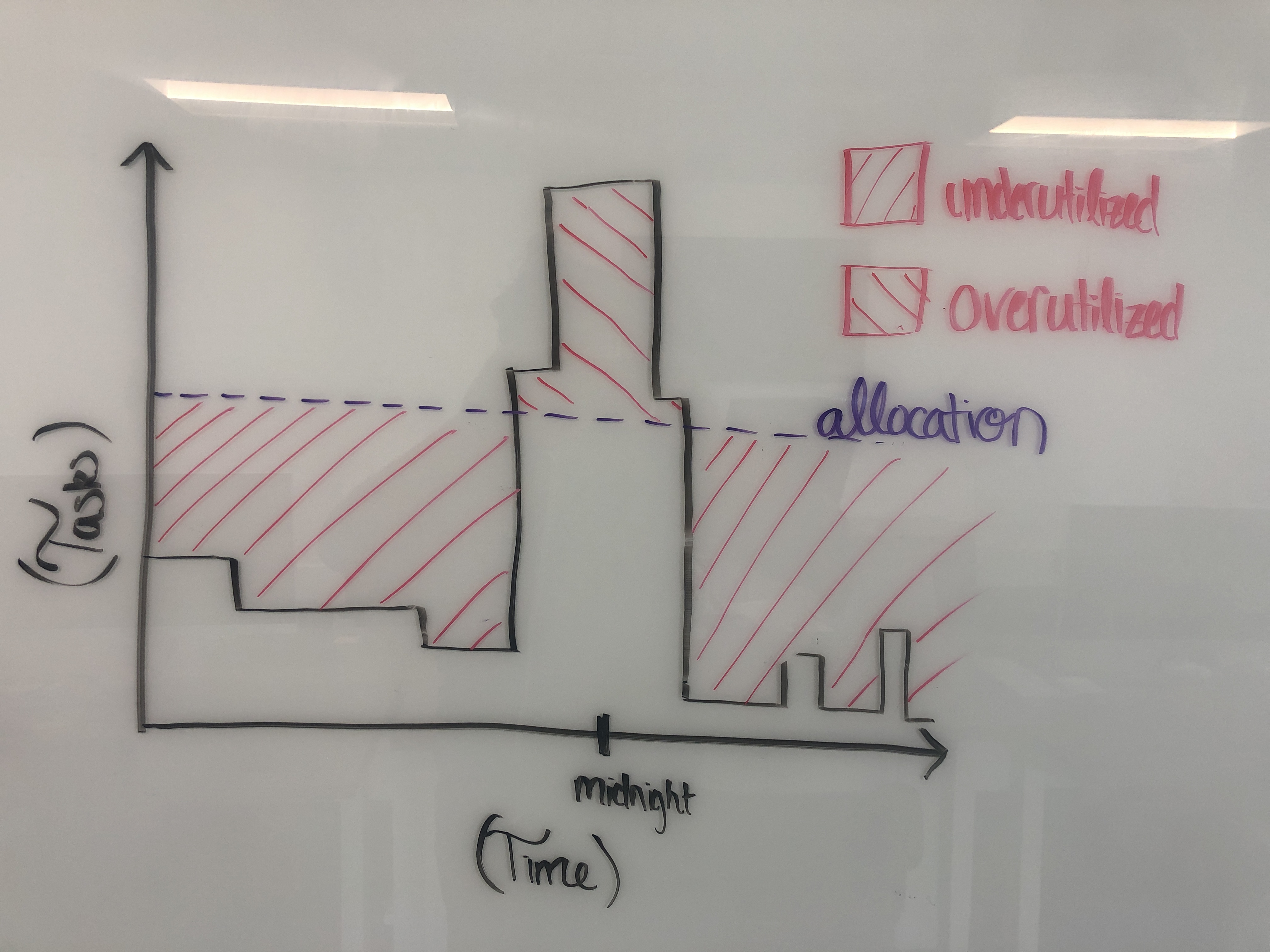
With the AWS Batch Executor, Amazon will spin up and spin down EC2 instances on your behalf based on the number of messages you have in a queue and how long they’ve been there. With the AWS Fargate Executor you can have 1000 tasks running in parallel, and all of them take 2 minutes of constant-time to spin up. The pay-upon-use pricing model is a vast improvement over the On-Demand instances that were always on. Yes, you can even bid for AWS Spot-Instances.
No more CloudWatch Metrics, triggering CloudWatch Events, triggering lambdas or Application Auto-Scaling groups, triggering ECS capacity providers. There are plenty of strategies and options to choose from. If for some ungodly reason you need more capacity then you can even request more from AWS. It’s AWS’s problem; not yours.
A Good Executor Gracefully Handles Capacity
What happens if one really heavy task hits your Celery Cluster? Maybe that task ran for too long, took up to much memory, filespace, or CPU. Too much memory, CPU, or disk space means that your worker nodes get nuked, and a job that’s running too long will tank your SLAs. Maybe you shipped a mistake, but production jobs shouldn’t pay the price.
With the Batch, ECS, and Fargate Executors if a task goes over capacity then your task fails, but your cluster remains intact. Not only that, but the exact reason for the primary container failure will be specified in the scheduler’s log file (i.e: Out of Memory exit code).
Also, because of auto-scaling you can set your capacity higher than it ever was. Now Airflow is not just 16 tasks executing in parallel, it’s handling hundreds. So if one task takes too long then at least the impact is minimized.
A Good Executor is Fully Locally Installable
Sadly this is one criteria that the AWS Executor doesn’t meet. Like with everything in AWS, there’s a cost to be paid with proprietary technologies and “walled gardens”. These clusters can never be installed locally.
What I do is use LocalExecutor for my personal machine, and AWSBatchExecutor for my production servers. I’ve personally never had a problem beyond initial setup. The CloudFormation Stack should hopefully help with that part.
Why Is This Not Part of Apache-Airflow?
Oooooo, Lord knows I’ve tried. Ultimately, the reason why this PR was not merged was because, in a way, it was doomed to fail. Executors are such a core part to Apache-Airflow, and therefore unit and integration tests are a hard requirement. However, AWS supports no official way to spin up an ECS, Fargate, or Batch cluster locally. Therefore the Airflow Breeze testing suite would not be able to faithfully replicate these services.
See AIP-29, AIRFLOW-6440, and PR 7030.
So, after months of work and hundreds of dollars spent on stress-testing, my code had no chance to make it into the official repo.
Que Sera Sera ¯\_(ツ)_/¯. This is the next best thing.